

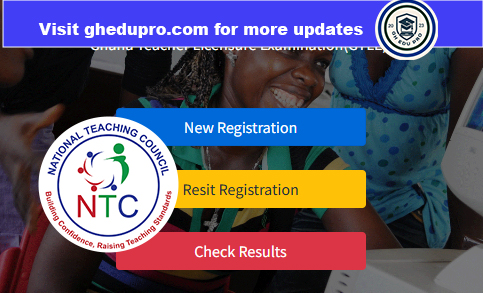
To successfully check your National Teaching Council (NTC) Ghana Teacher Licensure Examination (GTLE) results, you must have the correct personal details. Entering accurate information will help you access your results quickly and without any challenges.
Before you start, make sure you have a stable internet connection and access to a smartphone, tablet, or computer. Also, ensure that the personal details you will use are correct, because entering wrong information may prevent you from accessing your results.
Below are the approved details you can use to check your GTLE results.
Option 1: Using Serial Number and PIN
This is the most common way to check your GTLE 2025 results. Before registering for the examination, each candidate was given a serial number and a PIN. These details are very important and should always be kept safe.
To use this option, visit the official GTLE results checking portal. Enter your serial number and PIN carefully in the spaces provided. Make sure there are no typing mistakes. After that, click on the “Check Results” or “Submit” button. If your details are correct, your results will be displayed on the screen. You can then view, download, or print your results for future reference.
Option 2: Using Examination ID and Phone Number
(For Candidates Who Forgot Their PIN or Serial Number)
If you have lost or forgotten your PIN or serial number, there is no need to worry. You can still check your GTLE 2025 results using your examination ID and phone number.

SEE ALSO: Ghana Teacher Licensure Exams: New Pass Mark
First, visit the results portal and click on “Forgotten Details.” Then select the option for Examination ID and Phone Number. The examination ID can be found on your examination slip or registration document, and the phone number must be the one you used during registration.
Enter both details correctly and submit. If the information matches the system records, your results will appear instantly.
SEE ALSO: How to Check NTC Licensure Examination Results And How To Retrieve Your Serial Number And Pin (Step-by-Step Guide)
Option 3: Using Email and Phone Number
(For Candidates Who Forgot Their PIN or Serial Number)
Another option available under “Forgotten Details” is checking your results using your email address and phone number.
If you have misplaced your PIN and serial number, simply click on “Forgotten Details” on the GTLE results portal. Choose the email and phone number option, then enter the same email address and phone number you used during registration.
Once you submit the details, the system will verify your information and allow you to access your GTLE 2025 results.
Final Tips
Always double-check your details before submitting them. If you experience any difficulty while checking your results, contact the National Teaching Council (NTC) or visit their official office for assistance. It is also important to keep a copy of your results safe, as you may need it for employment, posting, or other professional processes.
Checking your GTLE 2025 results does not have to be stressful. With the right information and the correct steps, you can access your results quickly and easily. We wish all candidates the very best in their teaching journey.


