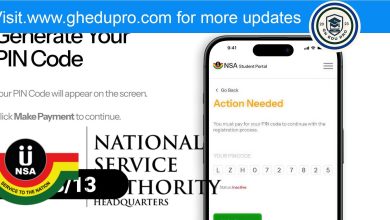


Many graduates in Ghana make a common mistake during the National Service registration process. After paying the GH¢82 fee and receiving their code or PIN, they assume that everything is done. Unfortunately, that is not true. Payment alone does not mean you have successfully registered with the National Service Scheme.
It is very important to understand that the payment is only the first step. You still need to complete the full registration process online before you can be considered for national service posting.
Payment Is Not Registration
After you pay the GH¢82, the system gives you a code or PIN. This code only allows you to access the NSS registration portal. It does not mean your registration is complete.
Some people stop at this stage and wait for posting, but this can lead to serious disappointment because their details were never submitted.
After completing your National Service registration, the next important step is to confirm whether your registration was successful. This will help you avoid stress and confusion later. The National Service Scheme has made it easy for all applicants to check their status. Below are simple steps you can follow.
1. Check Your SMS Notification
One of the easiest ways to confirm your registration is through an SMS. After you finish registering, the NSS usually sends a text message to your phone number.
This message confirms that your registration has been received. Sometimes, it may also include your NSS number starting with GTT………….. If you receive this message, it is a strong sign that your registration was successful.

However, if you do not receive any message, do not panic. There are other ways to confirm.
2. Log in to the NSS Portal
You can also confirm your registration by visiting the official NSS website. Go to the National Service Scheme portal and click on the “Login” button.
Enter your email address or NSS number and your password. If you are able to log in successfully and access your dashboard, then your registration is complete.
If the system does not allow you to log in, double-check your details or try resetting your password.
3. Check Your Dashboard Status
After logging in, carefully check your dashboard. This is where all your information will be displayed.
visit https://gnsa.gov.gh/home
Make sure your personal details such as your name, date of birth, and institution are correct. Also, look at your status. If it shows “Registered” or “Submitted,” then everything is fine.
If you notice any mistake in your details, try to correct it immediately or report it to the NSS office.
4. Try Re-registering (Test Method)
Another simple way to confirm your registration is to try registering again. Go back to the registration page and enter your details.
If the system displays a message like “You have already registered,” then it means your registration has already been completed successfully.
This method is helpful especially when you are not sure whether your first attempt went through.
5. Contact NSS Support
If you have tried all the steps above and you are still not sure, you can seek help. Visit your school’s NSS coordinator or go to the nearest NSS office.
The officials there can check your details in their system and confirm your registration status. This is the best option if you are facing serious issues like wrong details or login problems.
What to Do Next
If everything is correct and your registration is successful, then there is nothing to worry about. The next thing to do is to remain calm and wait for your posting.
The National Service Scheme will release postings in due time, and you will be assigned to an institution where you will serve. Make sure you keep checking the portal and your phone for updates.
Important Tips
- Keep your PIN and login details safe
- Always use a correct phone number and email
- Check your details carefully after registration
In conclusion, confirming your NSS registration is very important. Once you follow these steps and everything is okay, all you need to do is relax and wait for your posting.