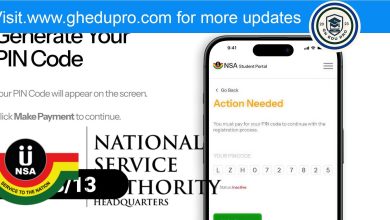


Many people are currently trying to register for their national service, but some are facing challenges even after making payment. If you are experiencing any of these issues, follow the simple steps below to resolve them.
1. I have paid for the pin code but cannot proceed with the registration.
If you have successfully made the payment but still cannot continue with the registration:
Wait for a while and refresh the page. Sometimes, the system takes a little time to update.
If the issue persists, create a ticket with your index number, full name, and proof of payment for further assistance.
Create a ticket here: https://support.nss.gov.gh/

2. I can’t access my pin code. What should I do?
If you are unable to retrieve your pin code:
- Check with your school to confirm if your details were submitted to the NSS scheme.
- If your school did not submit your details, insist that they send them as soon as possible.
- If your school did not submit your details, you can also apply for your pincode individually.
Documents needed to apply for a pincode:
- A letter requesting for a pincode
- A copy of your school certificate or transcript
- A valid school ID and/or national ID
If your school confirms that your details were submitted, but you still cannot access your pincode, create a ticket and attach your index number and a valid national ID for further assistance.
Create a ticket here: https://support.nss.gov.gh/
3. My pin code is rejected after payment. What should I do?
If your pincode is not being accepted after payment:
Keep trying the registration process for a while.
If the issue continues after 24 hours, report it to NSS support.
Create a ticket here: https://support.nss.gov.gh/