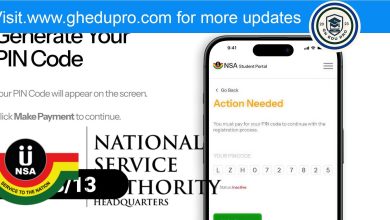


The Ghana National Service Authority (NSA) has officially released pincodes for 9,082 trained teachers for the 2025/26 service year. Trained teachers can now check and activate their pincodes to begin the national service registration process.
Steps to Access Your Pincode online:
- Visit the NSA personnel portal at portal.nss.gov.gh
- Click on “Check and Pay for Pincode.”
- Enter your Index/School ID number and Date of Birth.
- Make a payment of GHC40 at any ADB Bank or GHC41 via MTN Mobile Money.
- After payment, you will receive a Payment Confirmation.
How to Pay via MTN Mobile Money
- Dial *170# on your phone.
- Select Option 2 for MoMoPay and Pay Bill.
- Choose Option 2 again for Pay Bill.
- Select Option 5 for General Payment.
- Enter the payment code as “NSA PINCODE” by typing NSS, adding a space, and then your Pincode.
- Enter the payment amount: GHC41
- Enter NSS as the reference.
- Enter your MoMo PIN to confirm the payment.
Registration Period
- Start Date: February 14, 2025
- End Date: February 28, 2025
Trained teachers are advised to complete their registration within the given timeframe to avoid any delays in their national service posting.
For further inquiries, contact the Ghana National Service Authority at:
055 440 4422 / 055 440 0078 / 055 440 0069